24 analyses, each on its own page
Every analysis the 26 sample runs used, as each run's "What Start ran" names it. Each page says what the analysis does, in the words of the product's tool catalog, names the ArcGIS Pro tools it stands for, and shows the maps and charts it made in every sample where it ran, linked back to that sample. Nothing here is drawn for this site: every image is a run's own export.
Terrain has a section of its own. The samples ran tr_slope, tr_terrain_analysis; every one of the 29 terrain analyses has its own page, run on the Ngong Hills.
GIS analysis
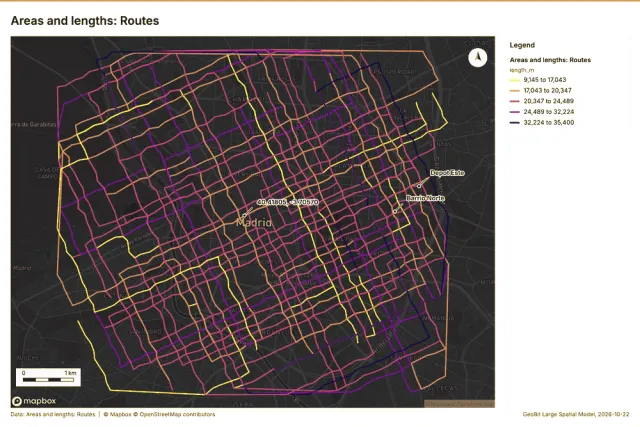
Areas and lengths
Geodesic area, perimeter and length of each feature.
Average nearest neighbor
Clark-Evans ratio: clustered, dispersed or random.
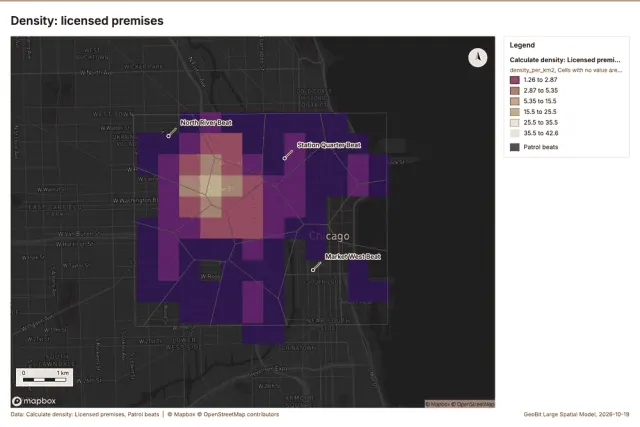
Calculate density
Kernel density per square kilometer on a grid.
Change point detection
When did the level, count, trend or variability change? For the whole study area or for every bin.
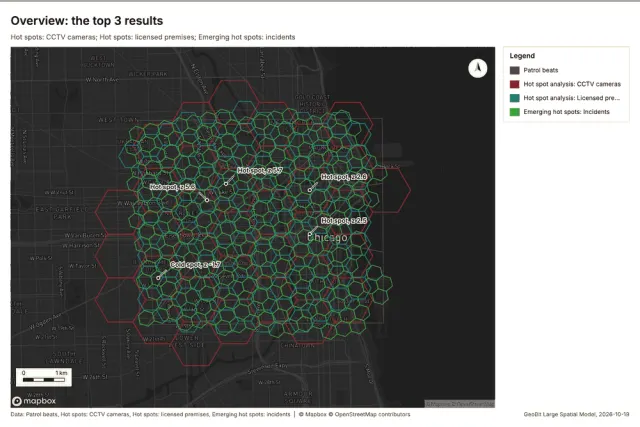
Emerging hot spots
Where hot spots are new, consecutive, intensifying, persistent, diminishing, sporadic, oscillating or historical over time.
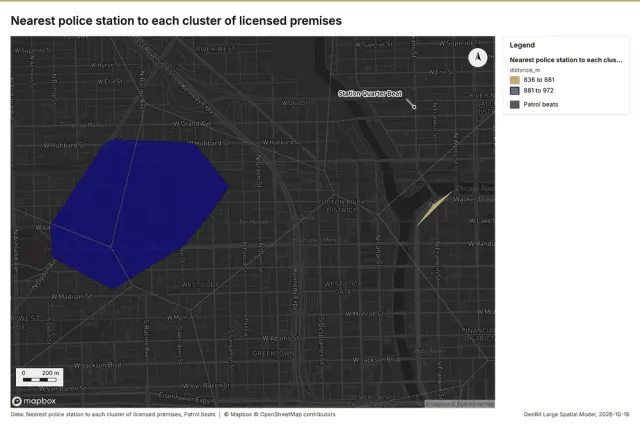
Find nearest
The k nearest features for each input, with geodesic distance and bearing.
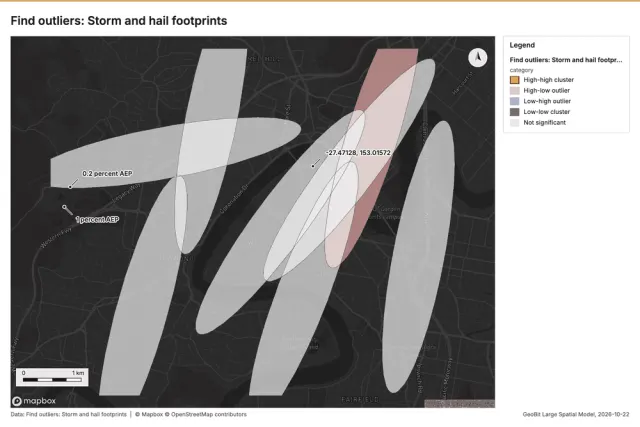
Find outliers
Anselin local Moran’s I: HH, LL clusters and HL, LH outliers.
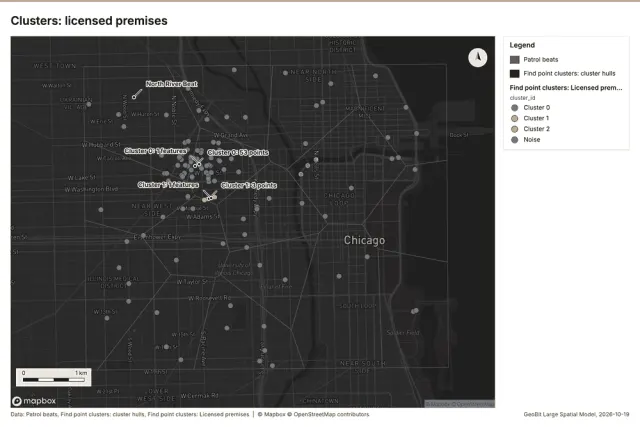
Find point clusters
Density-based clusters (DBSCAN, HDBSCAN or OPTICS, optionally space-time) with hulls and noise.
Hot spot analysis
Getis-Ord Gi* hot and cold spots with z-scores, p-values and confidence bins.
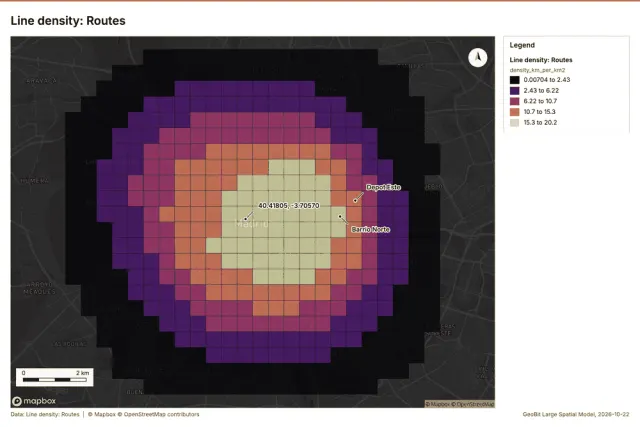
Line density
Length of lines per unit area around each cell (km per square km), optionally weighted by a field.
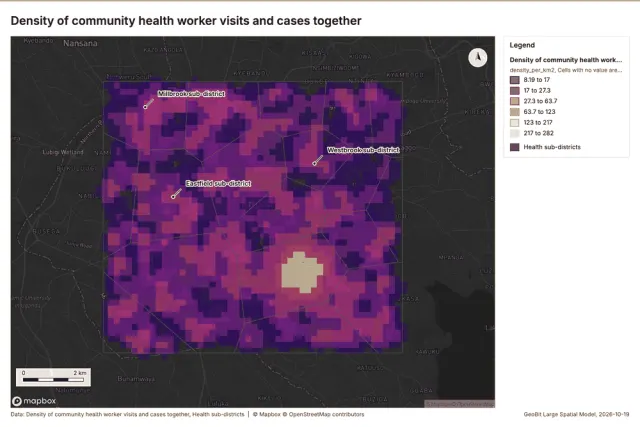
Merge layers
Append several layers into one.
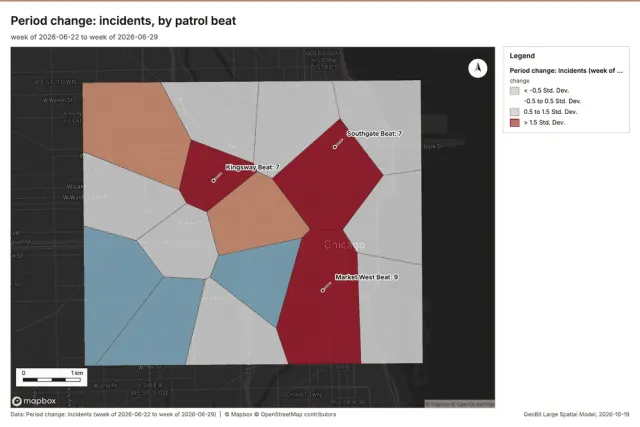
Period change
counts (or sums of a field) per period, week over week, month over month, any two named periods, or before and after a date; per area, per H3 cell or in total; the places of largest rise and fall with a Poisson significance note; the series of every period; a layer and charts.
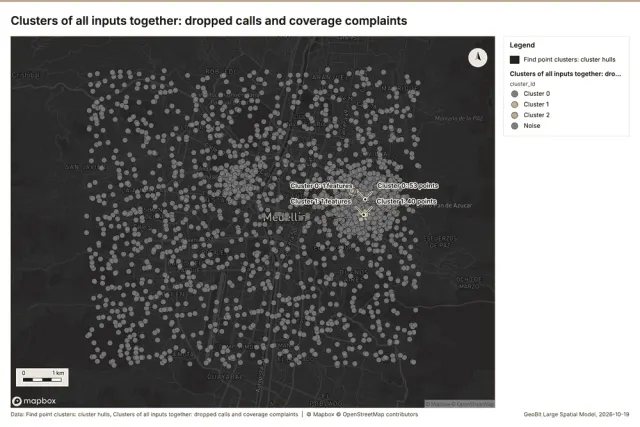
Pipeline
Run up to 20 GIS operations in one engine call; a step's params may use "$id" (an earlier step's result) or "$id.key", and layer references. Every step's map outputs are saved as styled layers. Never calls Mapbox.
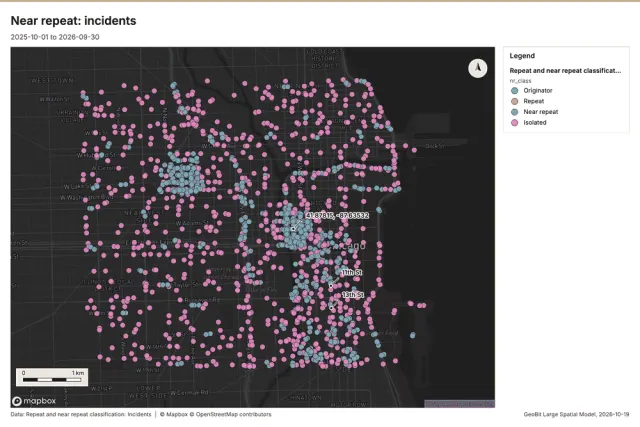
Repeat and near repeat classification
Classify incidents as originators, repeats (same place) or near repeats within a distance and time window, with a Knox test table.
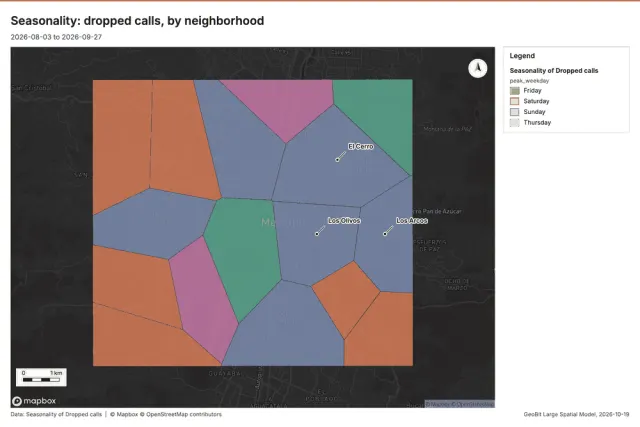
Seasonality
counts (or sums of a field) by hour of day, day of week and month, with the peak and the trough of each cycle, a chi-square note on how uneven it is, and the peaks per area or cell; a chart per cycle and a layer of the places with their peaks.
Spatial autocorrelation
Global Moran’s I: is the pattern clustered, dispersed or random.
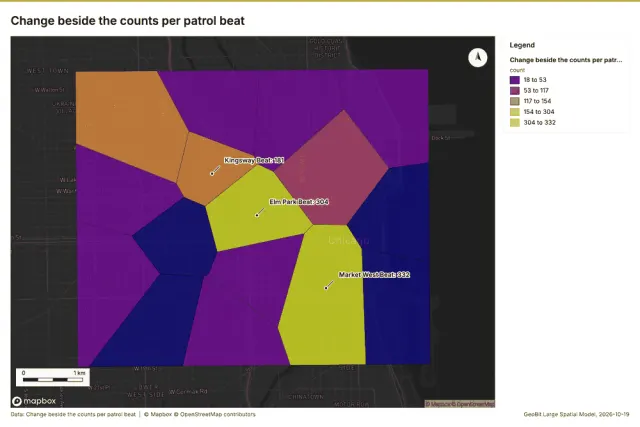
Spatial join
Attach attributes (or aggregates) of matching features from another layer, by location, distance, time and attributes.
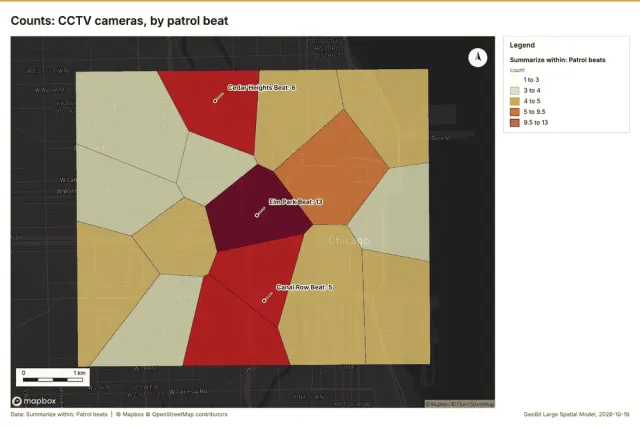
Summarize within
Count and aggregate the features inside each polygon (or bin), proportionally for lines and polygons.
Raster
Imagery
Change date raster
Change date. The first date each pixel's index departs from its baseline (the mean of the first dates) by more than `drop` in a direction and stays departed: date index, decimal year and magnitude rasters, plus how many pixels changed. (ArcGIS: Detect Change Using Change Analysis Raster (earliest change))
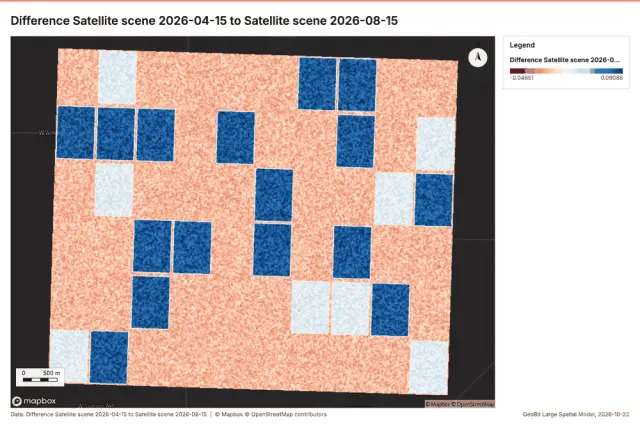
Compute change raster
Compute change raster. Pixel value or spectral change between two co-registered images: difference, relative difference, absolute difference, log ratio (radar, dB), Euclidean spectral distance, spectral angle (radians) or the band with most change. Clouds and shadows are masked when the images have a scene classification band. (ArcGIS: Compute Change Raster (pixel value change, spectral change))
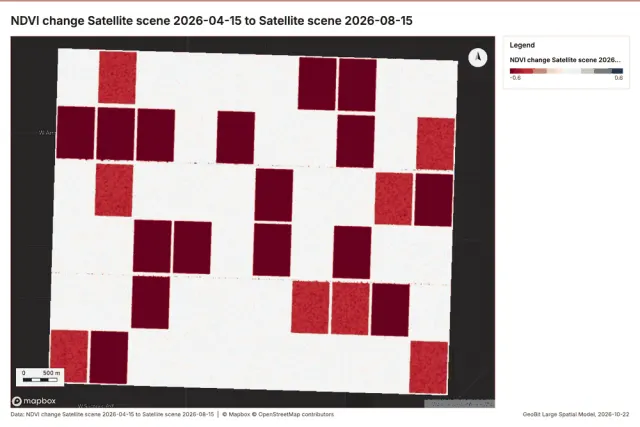
Index change
Spectral index change. Change of a spectral index (NDVI, NDWI, NDBI, NBR ...) or a band expression between two images: before, after and difference rasters, decrease / increase classes beyond the threshold with polygons and areas; NBR also gives dNBR with burn severity classes. (ArcGIS: Change Detection Wizard (spectral index change), Band Arithmetic)
Terrain
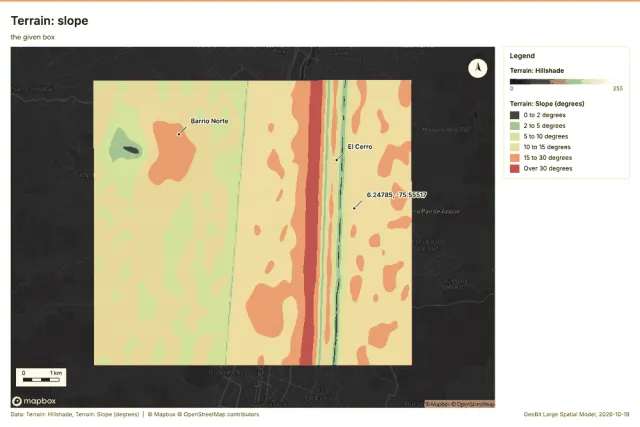
Slope
Horn slope in degrees or percent, with the share of ground in six grade classes. Outputs: slope. DEM: the project's DEM first, else Copernicus GLO-30 (open data). Esri equivalent: Slope (Spatial Analyst). QGIS equivalent: Slope (GDAL DEM).
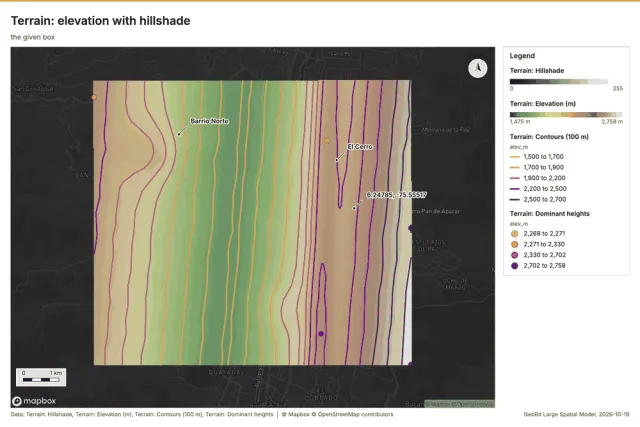
Terrain analysis
The automatic terrain analysis of an area, with no model call: by default every terrain tool (everything), or a subset (general, mobility, observation, hydrology, site), on the project DEM (else Copernicus), the elevation layer, the charts (hypsometric curve, slope distribution, aspect rose, elevation along the routes), the dominant heights and the cited terrain findings (key terrain, chokepoints, corridors, avenues, flood-prone ground, views, routes, landing zones) for the report's Terrain analysis section. Large areas run coarser with the factor reported (full resolution up to LS_TERRAIN_MAX_CELLS cells).