A map image for every analysis
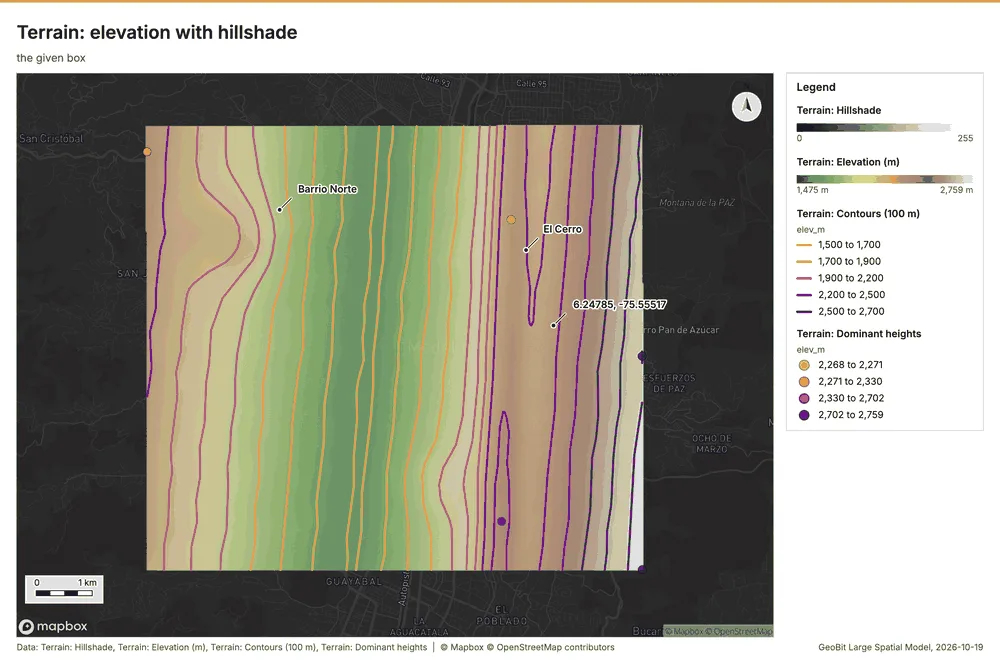
With legend, north arrow and scale bar, saved with a styled layer. Shown: terrain: elevation with hillshade, from the telecom sample in Medellin.
Upload everything you have into a project: files in any format, databases, services, documents and PDFs. Press Start, and out comes a project full of maps, charts and images, and a report that cites every claim.
One model behind one API, with MCP and an optional UI. Blank by default: it ships no customer data and runs on your data alone. Bring your own provider keys. Any basemap. Every major format in and out.
Replaces ArcGIS GeoAI, and the parts of Spatial Analyst, Spatial Statistics and ModelBuilder the Start loop covers.
One sample project per industry, at a real place with synthetic data: ten or more datasets each, the mix a customer in that industry would upload. Start was pressed on every one in describe mode with the local model. Each dot opens that sample's maps, charts and cited report.
These three runs were exported with every map and chart image. The other 23 carry their cited report and chart specs.
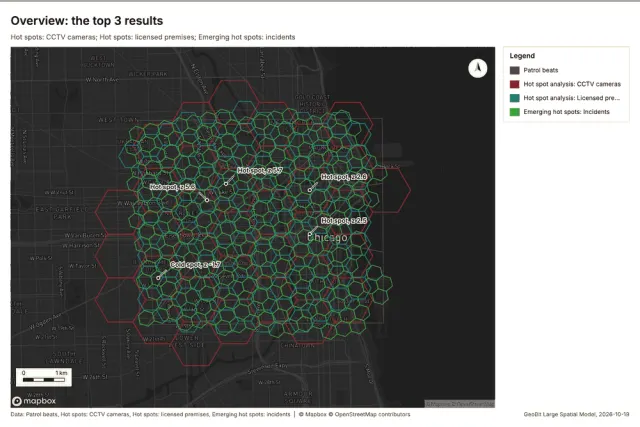 Maps, charts and report
Where and when do incidents cluster, which beats are getting worse, and where should patrols go?
Maps, charts and reportWhere do calls drop, what can each tower see over the terrain (viewshed), and where are the coverage gaps?
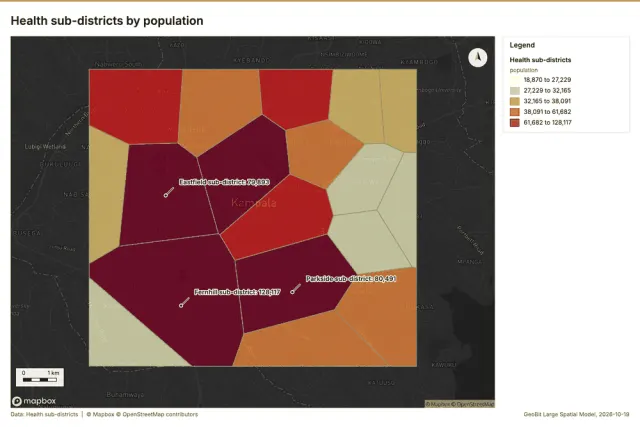 Maps, charts and report
Where and when are cases rising, which districts have the highest rates, and which areas lack access to a clinic?
Upload everything you have into a project, press Start, and out comes a project full of maps, charts and images and a cited report.
Files in any format, a database URL, a service URL (WMS, WMTS, WFS, OGC API, ArcGIS, XYZ, STAC), a bucket, a sheet, documents and PDFs. All into one project.
Every dataset is profiled (fields and their meaning, extent, time span), documents are read and their places extracted, relationships between datasets are found. No model call is needed for this.
With or without a goal. A deterministic recommender proposes analyses from the data shapes, a council of models sizes the run, and as many analyst agents as the job needs run them in parallel, each with checks.
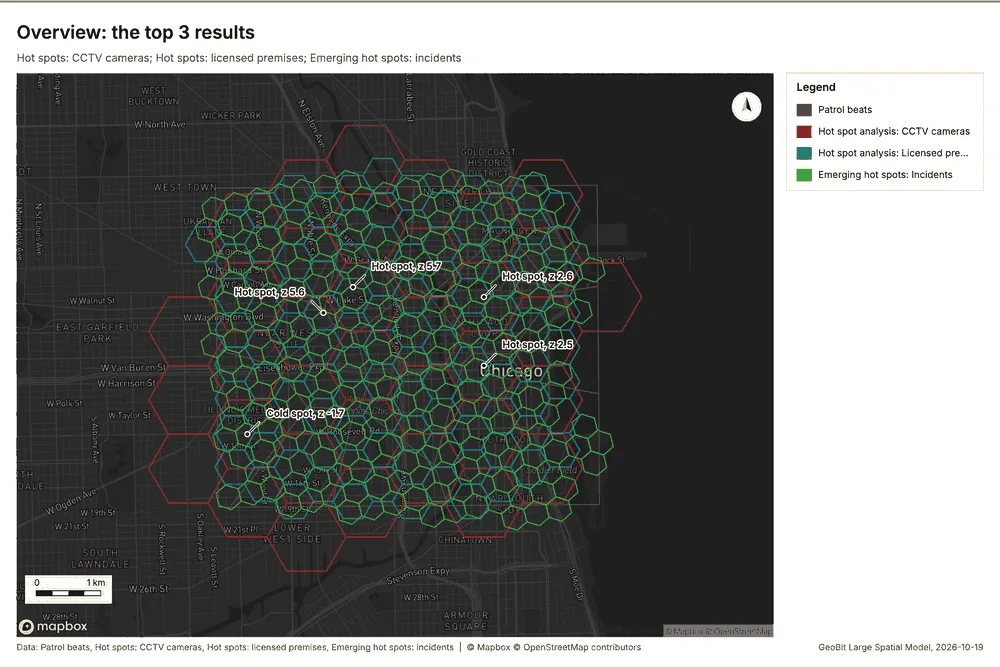
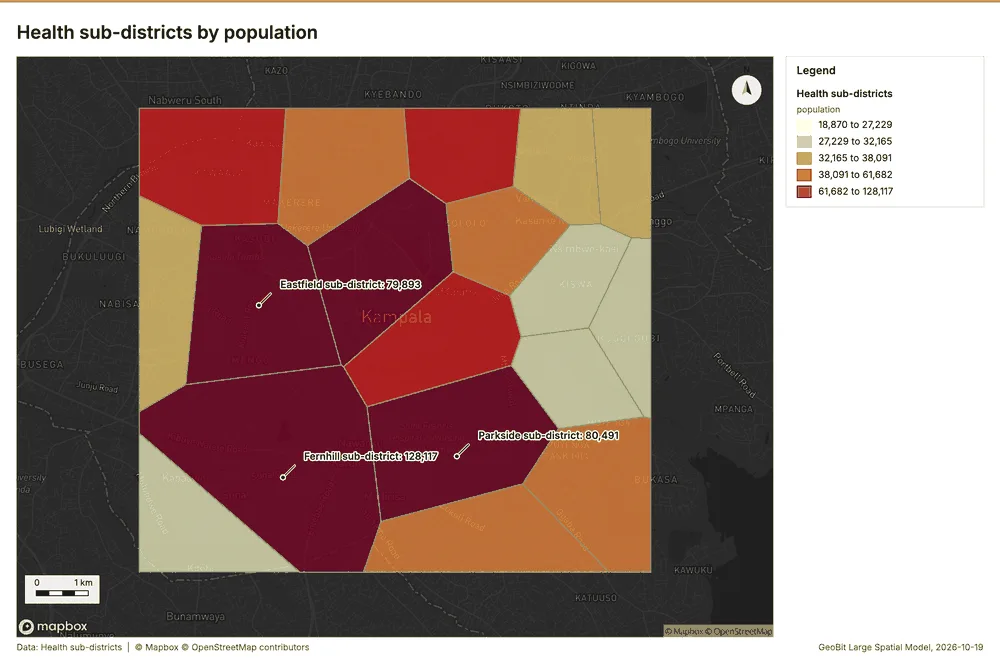
Every analysis becomes a saved map with a styled layer, an image with legend, north arrow and scale bar, a chart where one fits, and a vision read. The report cites every claim.
Any format, any map client, a run bundle with a manifest. Chat is a separate capability for questions about the data and the results.
Every image below comes from a sample run's export; each sample's page links the original files.
With legend, north arrow and scale bar, saved with a styled layer. Shown: terrain: elevation with hillshade, from the telecom sample in Medellin.
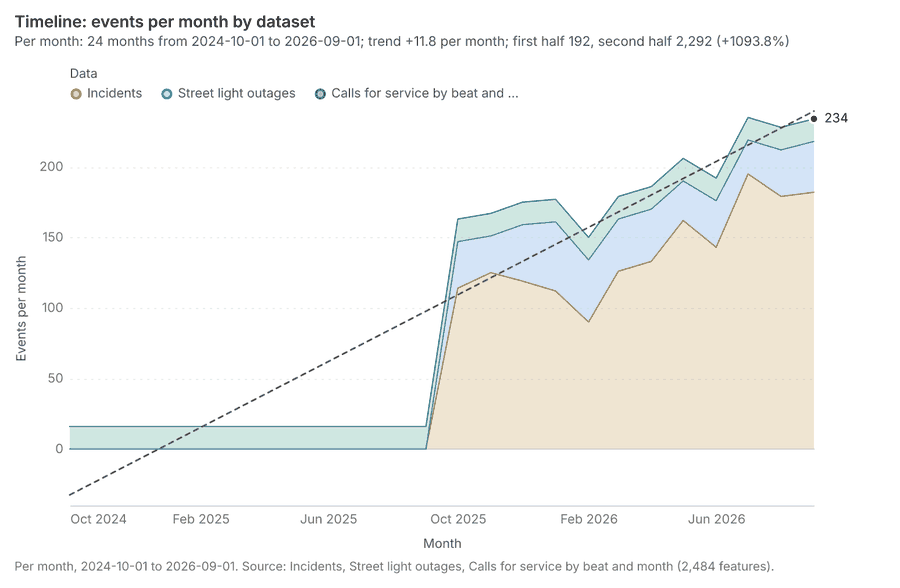
A time series when the data has time. Shown: timeline: events per month by dataset, from the public safety sample in Chicago.
To a tool result, a layer, a document page or an image; as JSON, Markdown, Word and PDF. Shown: the first findings of the public safety report.
Built on the shared GeoBit kit, so it looks, behaves, syncs and bills like every other GeoBit product.
The GIS analysis engine as tools, with its outputs saved as layers, one style source, pipelines and a per-operation OpenAPI.
Slope, aspect, hillshade, viewshed, line of sight, least-cost path, hydrology, mobility, terrain forms, solar, stability, volume, suitability and comms coverage. Elevation comes from the project or Copernicus GLO-30, never from a basemap vendor.
The sibling engines linked read-only as tools: raster, geostatistics, elevation and imagery.
A planning council, a routing ladder with budgets and an analyst swarm, plus chat-over-data tools (filters, read-only SQL over PostGIS) and a watcher.
A render worker that draws the same page as the UI, charts, vision reads, the report builder and exports in every major format.
Projects, datasets, Start and runs, analysis and pipelines, render, charts, report, exports, chat, agents, automations, insights, memory, OGC and tiles.
With MCP for AI assistants and an optional UI. An API reference, an OpenAPI schema and a developer portal come with it.
1,000 tokens are USD 1. A plan includes tokens every month, for less than the same tokens in packs. Plan tokens are spent first; tokens you buy on top never expire.
Worth USD 30 at the token price; plan tokens expire at the end of each period.
Choose StarterWorth USD 130 at the token price; plan tokens expire at the end of each period.
Choose ProWorth USD 280 at the token price; plan tokens expire at the end of each period.
Choose TeamTokens, terms and support agreed with you, billed monthly by invoice.
Get in touchPay as you go instead: token packs from 10,000 tokens (USD 10); packs of 50,000 tokens and more carry a bonus of 5% or more. Purchased tokens never expire.
Sign up